
What really happens when you delete a file? Spoiler: it does not actually disappear.
You tap delete on a photo and it vanishes. Clean. Gone. Done.
Except it’s not. Your phone just lied to you.
What Actually Happensh2
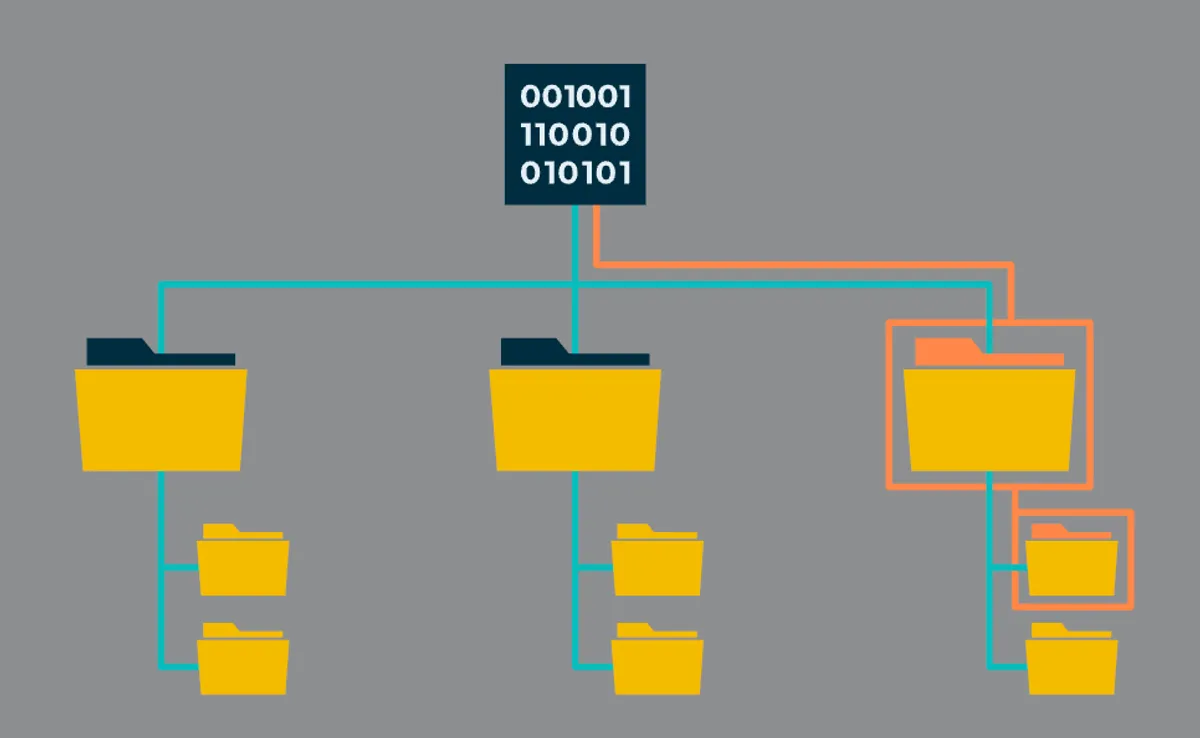
When you delete a file, your phone doesn’t erase it. It just removes the reference to it.
Think of your storage like a book. The file is a chapter, and the file system is the table of contents. When you delete something, your phone erases the chapter from the index, but the pages are still there. Just invisible.
This is why “Recently Deleted” albums exist. They’re glorified recycle bins where files sit for 30 days before the system actually marks their space as available.
Files From the Deadh2
Since the raw data stays until something overwrites it, recovery tools can often bring deleted files back. Forensics experts do this all the time.
But once new data starts taking up space, the old data gets overwritten bit by bit. Sometimes only parts get replaced, leaving you with a corrupted mess nobody asked for.
Real Deletion Needs Overwritingh2
To actually erase something, you need to overwrite the old data with new data.
Secure deletion tools do exactly this. They remove the reference, then write random junk over the old space, making recovery practically impossible.
Some paranoid folks overwrite multiple times, but modern storage systems usually need just one pass to make data unrecoverable.
The Bad Sector Problemh2
Storage isn’t perfect. Some sectors go bad and become read-only or completely inaccessible.
If deleted data lived in one of those sectors, fragments may linger forever: not recoverable, but not gone either. Bad sectors pose a security risk because of data remanence the data technically still exists on the physical medium even though you can’t access it.
A little digital ghost haunting your phone.
Platform Quirksh3
iOS gives you a 30 day safety net with Recently Deleted. After that, photos are gone for good, and if you use iCloud Photos, deleting on one device removes it everywhere.
Android is messier. Google Photos has trash retention, but there’s no universal recently deleted folder. Different manufacturers do different things.
Both platforms encrypt storage on modern devices, which means even if someone extracted your storage chip, they couldn’t read deleted data without your encryption keys.
What This Means for Youh2
Selling your phone? Don’t just delete files. Use secure erase features or encryption-based resets.
Deleted something by accident? Stop using your device immediately. Every new photo or app increases the chance something overwrites what you’re trying to recover.
Have sensitive stuff? Use secure deletion apps that actually overwrite data, or rely on encrypted storage where deleting the key makes data unreadable.
The Bottom Lineh2
Delete is more of a suggestion than a command.
When you delete something, you’re telling your phone “I don’t need this anymore, use this space for something else.” The system hides it and marks the space as available. But until something actually claims that space and overwrites it, your deleted file is still there.
Invisible, but intact.
It’s a design choice driven by speed and convenience. Truly erasing data takes time and resources. Most people don’t need instant destruction for every deleted file. The current approach is fast, allows easy recovery of accidents, and eventually achieves permanent removal as new data naturally replaces old.
TL;DR:
Delete ≠ Erase. Your phone only removes the pointer.
Data stays until overwritten.
Just remember: deletion removes the signpost, not the destination.
Comments